How to Factory Reset and Wipe Your Phone Before Selling It

How to Factory Reset and Wipe Your Phone Before Selling It

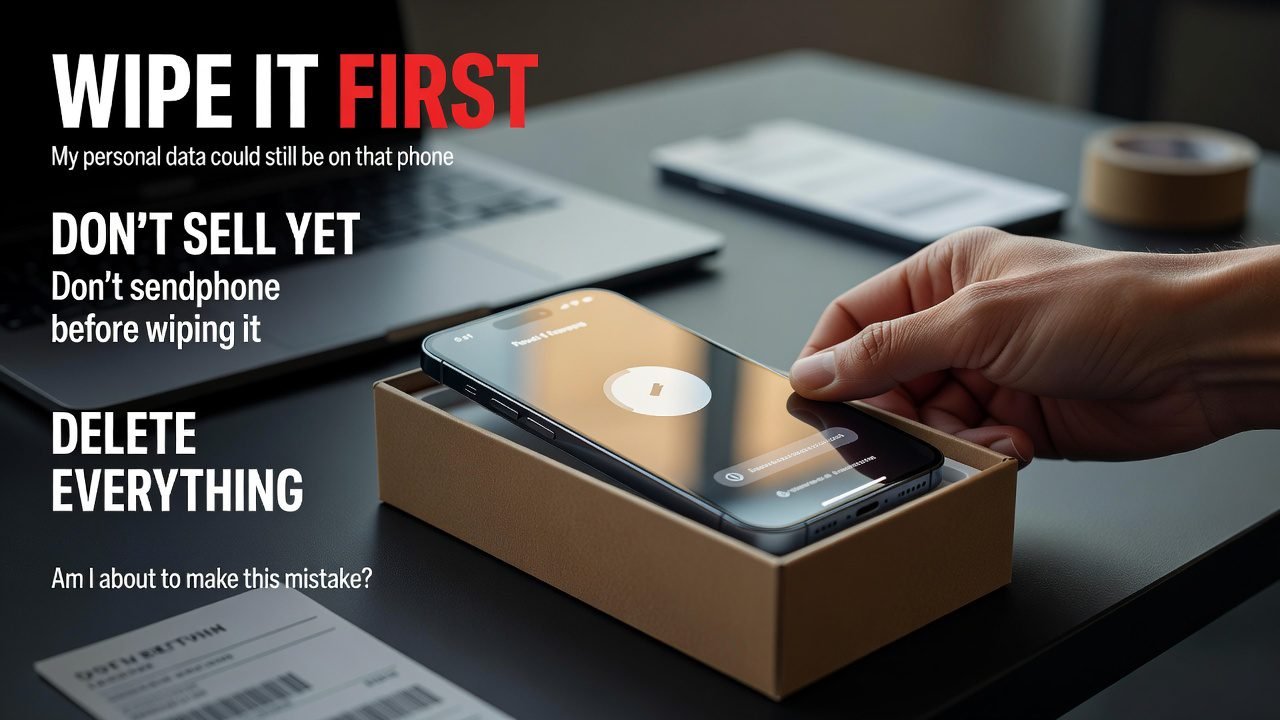
Someone wiped their Android, handed it over, got home, and realised their two-factor authentication app had gone with it. Every account it protected — email, bank, work login — was now behind a code generator that no longer existed on any device they owned.

The phone was wiped correctly. That was the problem. Everything went, including the things they needed to take with them.

A reset is not one action. It’s the last step in a sequence, and the steps before it are the ones that cause pain when skipped.

What a factory reset actually does

Worth understanding, because it changes how much you need to worry.

Modern phones encrypt their storage by default. iPhones have done this for years; Android has used file-based encryption as standard since Android 10. Your data doesn’t sit on the chip in readable form — it sits there encrypted, and the keys live in a small protected area.

When you erase a modern phone, it destroys those keys. The data is still physically present on the storage, but without the keys it’s unreadable noise. That’s why the process takes seconds rather than the hours you’d expect for wiping a couple of hundred gigabytes.

Two practical consequences. First, on any reasonably current phone, a proper factory reset is genuinely sufficient — you don’t need to fill the storage with junk files and reset again, which is advice left over from the unencrypted era and is now just wear on the flash memory. Second, on very old devices that predate default encryption, that old advice still has some merit.

What a reset does not do: remove your account from the device’s ownership record. That’s a separate thing, it’s the cause of most post-sale disputes, and it’s covered in our guide to removing iCloud and Google accounts.

Before you erase anything: the migration checklist

Do these in order. The reset is step nine.

1. Move your two-factor authentication codes

This one first, because it’s the one that ruins weeks.

Authenticator apps generate codes locally. Wiping the phone destroys them, and unless you’ve enabled the app’s own cloud sync or exported your accounts, you lose access to every account they protect. Some authenticators offer an export-and-import flow via QR code; others sync to an account. Whichever yours uses, do it now, verify a code works on the new device, and only then continue.

While you’re there, print or save your backup codes for anything critical.

2. Back up properly, and verify it

On iPhone: iCloud backup, or a computer backup via Finder. Check the timestamp afterwards rather than assuming it ran.

On Android: the Google One backup covers apps, settings, call history, and messages, but coverage varies by manufacturer. Samsung Cloud handles some Samsung-specific data separately.

Verification matters more than the backup itself. Open the backup listing, confirm the date, confirm the size looks plausible.

3. Move your messaging history

WhatsApp, Signal, and similar apps store chats locally with their own backup and transfer flows. These don’t come along with a general phone backup reliably, and Signal in particular requires an explicit device transfer while both phones are working.

4. Deregister iMessage if you’re moving to Android

Skip this and your number stays associated with iMessage, which means texts from iPhone users get routed into a service your new phone can’t receive. Messages appear to send from their end and never arrive at yours.

Turn off iMessage in Settings > Messages before you wipe. If the phone’s already gone, Apple runs a self-service deregistration page for exactly this situation.

5. Unpair anything connected

An Apple Watch should be unpaired from the iPhone before the phone is erased — the unpair process creates a fresh backup of the watch, which you’ll want. The same logic applies to fitness trackers and earbuds tied to a manufacturer account.

6. Sort out the SIM and eSIM

Physical SIM: take it out. Obvious, and people still forget.

eSIM: the profile lives on the phone, not on a card. During the iPhone erase flow, iOS asks whether to keep or delete the eSIM — delete it only after your carrier has moved the number, or you’ll be making a support call. On Android, remove it under the network settings before resetting.

7. Deal with the SD card

Removing it is the safe option. Formatting it inside the phone is the second-best. If the card was encrypted by the phone, it becomes unreadable elsewhere anyway, but don’t rely on that as your only protection.

8. Note anything tied to the device rather than the account

Some purchases, licences, and app subscriptions bind to hardware. Rare now, but worth a scan through anything you paid for.

9. Now remove your accounts, then reset

Order matters enormously on Android and is handled for you on iPhone. Details below.

Wiping an iPhone

Settings > General > Transfer or Reset iPhone > Erase All Content and Settings.

This single flow does the whole job: it signs you out of your Apple Account, turns off Find My and Activation Lock, deletes the eSIM if you choose, and destroys the encryption keys. It will ask for your Apple Account password, which is the mechanism that stops a thief from doing the same thing.

Do not reset via recovery mode as a shortcut. That erases the software without releasing Activation Lock, and the result is a phone that boots to a screen demanding your credentials — in the buyer’s hands, after money has changed hands.

Afterwards, check that the device has left your account: sign in at the Apple account devices page and confirm it’s no longer listed.

Wiping an Android phone

The order is the part people get wrong.

Remove the Google account first. Settings > Passwords & accounts > select your Google account > Remove account. Remove any Samsung, Xiaomi, or other manufacturer account the same way.

Then factory reset. Settings > System > Reset options > Erase all data (factory reset). Menu wording varies by manufacturer; on Samsung it’s Settings > General management > Reset.

Doing it in the other order triggers Factory Reset Protection, which locks the phone to the last account signed in before the reset. The buyer then needs your credentials to get past setup, and the only fix involves you signing back in on a phone you no longer own.

Two extra Android steps worth taking:

  • Check Settings > Security or the top of Settings for any device management profile, especially on an ex-work phone. Enrollment survives a factory reset.
  • If you’ve ever unlocked the bootloader or rooted the phone, disclose it. It affects banking apps and contactless payment for the buyer, and it’s the sort of thing that turns into a dispute.

After the wipe, before the handover

Boot the phone up and walk it to the first setup screen. You’re checking two things: that it starts cleanly, and that it doesn’t ask for anyone’s account credentials.

If it does ask, stop. The reset happened in the wrong order, and the fix is much easier while the phone is still in your hands.

Then leave it at that setup screen for the buyer. Handing over a phone that’s already been set up on a fresh account is unnecessary and slightly odd; handing over one sitting at the welcome screen is exactly right, and it lets the buyer complete setup themselves, which is what any careful buyer will insist on anyway.

Veelvoorkomende fouten om te vermijden

  • Wiping before migrating your authenticator app. The most expensive mistake on this list, measured in hours of account recovery.
  • Factory resetting an Android before removing the Google account. Creates a locked phone and a dispute.
  • Using recovery mode to erase an iPhone. Leaves Activation Lock intact.
  • Assuming a general backup covers WhatsApp and Signal. It doesn’t, reliably.
  • Forgetting to deregister iMessage when moving to Android. Weeks of missing texts, and it’s not obvious what’s wrong.
  • Leaving the eSIM on the device. Minor, fixable, still a phone call you didn’t need to make.
  • Not checking the account devices list afterwards. Ten seconds of confirmation.

Veelgestelde vragen

Does a factory reset really delete everything?

On any phone from the last several years, effectively yes — the reset destroys the encryption keys, which makes the remaining data unreadable. Overwriting the storage afterwards adds nothing on an encrypted device.

What’s the correct order for an Android phone?

Back up, move your authenticator codes, remove the Google and manufacturer accounts, then factory reset. Removing accounts after the reset is what triggers Factory Reset Protection.

Do I need to remove the SD card?

Removing it is safest. If you leave it in, format it separately — a factory reset doesn’t necessarily wipe external storage.

What happens if I forget to sign out of my Apple Account?

The phone stays Activation Locked to you and won’t complete setup for the buyer. You can remove it remotely from your account’s device list, provided the device has been erased, which is why disputes over this are usually fixable if the buyer can reach you.

Should I reset the phone before or after listing it?

After. You’ll want it working for photographs and for any questions a buyer asks, and a phone sitting wiped in a drawer for three weeks helps nobody. Reset it the morning of the handover.


Do the authenticator step now, before you read anything else about selling. Everything else on this list is recoverable; that one costs a weekend.

Once the phone is clean, list it on ExploreFrag, and if you want the highest final number, our guide on pricing and timing a private sale covers what actually moves the price.


About the author

Emran Ahmed is the founder and CEO of ExploreFrag, a marketplace for buying and selling used phones and accessories across every brand. A significant share of ExploreFrag’s post-sale support messages come down to a reset done in the wrong order, which is why the Android sequence in this guide is spelled out so bluntly. He wipes every device he sells the morning of the handover, never the week before.

Should You Sell, Trade In, or Keep Your Old Phone? A Decision Guide

Should You Sell, Trade In, or Keep Your Old Phone? A Decision Guide

There’s a drawer. Everyone has the drawer. Inside it are two or three phones that were worth something once, are worth less now, and will be worth nothing eventually — and the reason they’re still there is that deciding what to do with them never quite reaches the top of anyone’s list.

The decision isn’t actually hard. It just has three genuinely different right answers depending on two variables, and most advice picks one answer and argues for it universally.

The two questions that decide it

What’s the phone realistically worth today? Not what you paid, not what a pristine one lists for — what yours, in its condition, with its storage tier, would actually fetch.

How much is your time worth against that number? A private sale takes a couple of hours across listing, messages, and a meetup. Trade-in takes twenty minutes.

Run those together and the answer usually falls out:

Phone’s realistic valueBest moveWhy
Above ~$250Sell privatelyThe gap over trade-in is worth the afternoon
~$100–250Depends on your timeSell if you’ll do it this week; trade in if it’ll otherwise sit six months
Below ~$100Keep it, or recycle itThe price gap is now smaller than the hassle
Below ~$40, or faultyRepurpose or recycleSelling costs more effort than it returns

Those thresholds are judgement, not law. Adjust them for how much you dislike meeting strangers in car parks.

Selling privately: most money, most effort

Private sale reliably nets the most, often by a wide margin over trade-in on anything reasonably current. You set the price, you keep the whole amount, and you can wait for the right buyer.

The costs are real though: photographs, a description, fielding messages from people who’ll never show up, and a meetup. Call it two hours spread over a week or two.

It’s clearly the right call above a couple of hundred dollars. Our guide on getting the highest price for a private sale covers the timing and preparation that widen the gap further.

Trade-in: least money, least friction, and a few traps

Trade-in exists because certainty has value. You get a quote, you send or hand over the phone, you’re done. No strangers, no negotiation, no listing sitting unanswered.

What you’re paying for that is a meaningful chunk of the phone’s value. Three things worth knowing before you accept a quote:

Store credit is not cash. Many manufacturer and carrier programmes pay in credit toward a new device, which is fine if you were buying from them anyway and a hidden discount if you weren’t.

Quotes get revised after inspection. Mail-in services typically quote on your self-assessment, then re-grade on arrival. The revised offer is frequently lower, and at that point your options are accepting it or paying return shipping. Photograph the phone thoroughly before it goes in the box — timestamped, all sides, screen on.

Carrier trade-ins often bind you to a contract. The headline value can look generous because it’s spread across bill credits over two or three years, and leaving early forfeits the remainder. That’s not a trade-in, it’s a discount with a lock-in.

Trade-in makes real sense in two situations: the phone is worth little enough that the gap doesn’t matter, or you’re buying from the same company and the credit is genuinely usable.

Keeping it: what a second phone is actually good for

The default assumption is that an unused phone is dead weight. Sometimes it is. But there are a handful of uses that beat its resale value outright, particularly once the phone drops under about a hundred dollars.

A genuine emergency backup. If your main phone is lost, stolen, or dropped down a drain, having a working device you can put a SIM or eSIM into within the hour is worth more than the seventy dollars it would have sold for. This is the strongest case, and it’s the one people underrate until the week they need it.

A dashcam. A mount, a permanent charge cable, and a loop-recording app. An old flagship’s camera is better than most purpose-built dashcams at that price.

A home security or pet camera. Wall mount, power, and a streaming app. Costs nothing and beats a cheap dedicated camera on image quality.

A dedicated music or podcast device. For running, cycling, or the gym, where you’d rather not carry an expensive phone.

A travel phone. Carry the old one abroad with a local eSIM and leave the current one at home. Losing it in a taxi becomes an inconvenience rather than a disaster.

A kid’s first device. No SIM, Wi-Fi only, with restrictions set up. Considerably cheaper than buying something new for the purpose.

A wall-mounted controller for smart home apps, a kitchen recipe screen, or an always-on clock and calendar.

Some of these are stretches. The emergency backup and the dashcam aren’t.

If you’re keeping it, store it properly

Lithium batteries degrade in storage, and how you store them changes how fast.

Charge to roughly half before putting a phone away — not full, not empty. A battery left at 100% for a year ages faster than one left at 50%, and one left at 0% can discharge past the point of recovery. Somewhere cool and dry, and top it up to half again every six months or so.

A phone stored full and forgotten for two years frequently comes out with a battery that’s noticeably worse than it was going in, which quietly ends the “I’ll sell it later” plan.

When to recycle instead

If the phone doesn’t power on, has significant water damage, or is old enough that no one wants it, selling isn’t a real option and neither is repurposing.

Manufacturer take-back programmes and municipal electronics recycling both handle these. Wipe the device first if it can still be switched on; if it can’t, physically destroying the storage isn’t practical on a modern phone, but a device that won’t boot is also encrypted and effectively unreadable.

Don’t put it in general waste. Lithium cells in landfill and in bin lorries are a genuine fire hazard, and the recovery of the materials is worth doing.

What about parting it out?

Occasionally worth it for a broken flagship. A cracked-frame iPhone with a working screen, camera module, and logic board can be worth more in pieces than whole — but only if you already have the tools, the patience, and somewhere to sell components.

For almost everyone, this is a hobby rather than a decision. Sell it as a faulty device with honest photos and let a repairer do the work.

Veelvoorkomende fouten om te vermijden

  • Waiting. The most expensive choice available, and it’s the default. Depreciation runs the whole time the phone sits unused.
  • Accepting a mail-in trade-in quote without photographing the phone first. Re-grading disputes are common and you’ll have no evidence.
  • Assuming trade-in credit is cash. Check what the payout actually is before comparing offers.
  • Storing a phone at full charge indefinitely. It ages the battery faster and shrinks what you can sell it for later.
  • Keeping three backup phones. One is a sensible contingency. Three is a drawer.
  • Binning a dead phone. Fire risk, and a waste of recoverable materials.

Veelgestelde vragen

Is trading in a phone ever worth it over selling?

Yes, when the phone’s value is low enough that the price gap doesn’t justify the effort, or when you’re buying from the same company and the credit offsets a purchase you were making anyway. Above roughly $250 of real value, private sale almost always wins.

How much less does trade-in pay than private sale?

Enough to matter on anything current. The gap narrows as phones get older and cheaper, which is exactly why trade-in makes more sense at the bottom of the range.

What’s the best use for an old phone I keep?

An emergency backup, kept charged to about half and stored somewhere you’ll remember. A dashcam is the strongest active use if you drive regularly.

Should I wipe a phone I’m keeping as a backup?

Yes, and set it up fresh. A backup phone still logged into old accounts is a security problem sitting in a drawer, and our reset guide covers the sequence.

My phone doesn’t turn on. Is it worth anything?

Sometimes, as a faulty device to a repairer, especially for recent flagships. List it honestly as non-working with clear photos rather than trying to describe it optimistically.

How do I know what mine is realistically worth?

Look at completed sales for the same model, storage tier, and condition rather than at asking prices. Our buying guide for the $400–600 tier gives a sense of where recent flagships land.


Go and look in the drawer. For each phone in there, answer one question: is this worth more than a hundred dollars? The ones that are should be listed this week. The ones that aren’t should be a dashcam, a backup, or recycled — but not left where they are.

If something in there is worth selling, list it on ExploreFrag and it’ll be gone before it depreciates any further.


About the author

Emran Ahmed is the founder and CEO of ExploreFrag, a marketplace for buying and selling used phones and accessories across every brand. He has opinions about the drawer, mostly because he sees what phones are worth when people finally get around to listing them versus what they were worth a year earlier. He keeps exactly one backup phone, charged to half, in a kitchen drawer.

How to Sell Your Used Mobile Phone for the Highest Price

How to Sell Your Used Mobile Phone for the Highest Price

A seller listed a Pixel 7 Pro in October, three weeks after the next generation had been announced, and could not move it above $210. The identical phone, in identical condition, had been trading around $300 six weeks earlier.

Nothing about the phone changed. The market around it did.

Most of what determines your final number gets decided before you write a single word of the listing — when you sell, what you’ve kept, and whether you’ve spent forty minutes on preparation. The listing itself is the last ten percent.

Sell before the announcement, not after

The single largest lever, and the one people almost always get backwards.

Phone values don’t decline smoothly. They step down, and the biggest step happens in the weeks around a new generation’s announcement — not its release, its announcement. The moment a successor exists, every listing for the outgoing model is competing against a wave of upgraders dumping theirs at once. Supply spikes, demand doesn’t.

The practical version: if you already know you’re upgrading in the autumn, sell in the summer and use an old phone for a few weeks. That inconvenience is usually worth more per hour than anything else you’ll do in this process.

Second-best timing signal: sell when you stop using the phone, not when you get around to it. A device sitting in a drawer loses value every month while doing nothing for you. There’s no version of “I’ll list it eventually” that ends with more money.

Work out what it’s actually worth

Anchor on completed sales, not on active listings. Anyone can ask any price; what matters is what buyers paid. Active listings tell you what optimistic sellers hope for, and if you price against them you’ll sit unsold next to them.

Three variables move the number more than people expect:

Storage tier. The gap between a 128GB and a 512GB unit of the same phone is often larger used than it was new, because budget buyers are price-sensitive and everyone else wants space.

Carrier status. A phone not tied to a carrier sells for more and sells faster. If yours is locked and eligible for release, request it before listing — most carriers process this free once the device is paid off, and it usually takes days rather than weeks.

Colour, occasionally. Standard finishes move faster. Unusual colours can sit, which matters if you need the money this month rather than the best possible price.

The forty minutes that pay best

Preparation is boring and it works. In rough order of return per minute:

Clean it properly. Isopropyl alcohol on a microfibre cloth for the frame and back. A soft brush and a wooden toothpick for the charging port and speaker grilles — compacted lint makes a phone look neglected and makes buyers wonder what else was neglected. Don’t use anything abrasive on the screen.

Find the box and the accessories. Original packaging, the cable, the SIM tool, even the little paperwork. A boxed phone consistently sells for more than a bare one, and it costs you nothing but a trip to the cupboard.

Take the screenshots buyers will ask for anyway. Battery health, parts and service history on iPhone, the model number, storage capacity. Attaching these to the listing removes three rounds of messages and, more usefully, removes the buyer’s suspicion that you’re hiding something.

Put on a fresh screen protector. Cheap, and it makes the display photograph and feel better. Just don’t pretend it’s the original screen if it isn’t.

Charge it to about 60% before the meetup. A phone handed over at 8% invites questions about the battery that you don’t want to be answering while someone’s deciding.

Which repairs pay for themselves, and which don’t

Taking a position here, because the generic advice is useless.

Usually worth doing: a battery replacement on a flagship where health has dropped below about 80%. Buyers in that tier price a battery service in aggressively — often more aggressively than it actually costs — so fixing it first typically nets you more than the repair. Use a genuine or manufacturer-authorised service, because a non-genuine cell throws a warning on the phone that costs you far more than it saved.

Usually not worth doing: cracked back glass on most models. The repair is surprisingly expensive because of the adhesive and the frame work, and buyers discount it less than the fix costs. Disclose it, photograph it, price it in.

Almost never worth doing: a third-party screen replacement immediately before selling. On an iPhone it registers in the parts history as a non-genuine display, permanently, and that single line costs you more at resale than the crack would have. If the screen is broken, either get it done through a manufacturer-authorised channel or sell it as-is with honest photos.

Never worth doing: anything that involves opening the phone yourself to “tidy it up.” Water resistance ends the moment the seals are broken, and buyers notice disturbed screws.

Where to sell, and what each channel costs you

ChannelTypical priceSpeedEffortMain downside
Private saleHighestDays to weeksHighestMeetups, messages, time-wasters
Marketplace with buyer protectionHighDays to weeksMediumFees, shipping risk
Manufacturer trade-inLow to middlingImmediateLowestOften store credit, not cash
Carrier trade-inLow to middlingImmediateLowestUsually tied to a new contract
Buyback serviceLowestFastLowGrading disputes after you’ve shipped

The honest summary: private sale wins on money and loses on time. Trade-in wins on certainty and loses on money. If your phone is worth a few hundred dollars, the gap between the two is worth an afternoon of effort. If it’s worth sixty, it probably isn’t — which is the subject of our guide on whether to sell, trade in, or keep an old phone.

One warning about buyback services specifically: many quote a price up front and re-grade the device after you’ve posted it, at which point your choice is accepting a lower offer or paying to have your own phone returned. Photograph the phone thoroughly before shipping.

Price it to sell, then hold the line

Set your asking price slightly above your real floor — enough room for one round of negotiation, not enough to look inflated. Buyers in this market compare four listings before messaging anyone, and a price noticeably above the others gets skipped rather than negotiated.

Then decide your floor before the first message arrives, and don’t move it in the moment. Negotiation pressure at a meetup is real, and the standard move is a buyer arriving with less cash than agreed and a shrug. Deciding in advance means you can say no without deciding anything under pressure.

Respond fast. The first two days of a listing generate most of its interest, and a reply within an hour converts far better than one the next morning. This is the least glamorous advice in the article and it’s worth more than most of the rest.

The handover, and getting paid safely

Meet somewhere public with daylight and power outlets — many police departments operate designated exchange zones in their lots, under camera coverage. A buyer who objects to that has told you something.

Bring the box, the cable, and the SIM tool. Let them run their checks; a serious buyer will want to verify the IMEI and complete setup on their own account, and that’s exactly what a legitimate transaction looks like. Our fifteen-point inspection checklist is the list they’ll likely be working from, so read it once from the seller’s side.

Take payment in a form that clears before the phone leaves your hands. Cash counted in front of you is fine. What isn’t fine: a payment app screenshot, a promise to send it on the way home, or any transfer that can be reversed after the fact. Reversible payments plus a handed-over phone is the most common way private sellers lose money, and it doesn’t require the buyer to have planned anything.

Finally, do not hand over a phone that’s still signed into your accounts. Wipe it properly first — our reset guide covers the order of operations, and getting it wrong can lock the buyer out and land you in a dispute weeks later.

Veelvoorkomende fouten om te vermijden

  • Listing after the successor is announced. The largest avoidable loss in this whole process.
  • Hiding a flaw. It surfaces at the meetup, the buyer renegotiates from a position of distrust, and you take less than if you’d disclosed it.
  • Selling with the box in the attic. Ten minutes of searching, measurable premium.
  • Getting a cheap screen fitted first. Permanent record on iPhone, permanent discount at resale.
  • Accepting a reversible payment. Screenshots are not money.
  • Letting the phone sit unlisted for months. Depreciation runs whether you’re using it or not.
  • Negotiating over messages before anyone has seen the phone. Hold price discussions for people who’ve committed to viewing.

Veelgestelde vragen

When is the best month to sell a phone?

Whenever it’s furthest from the next generation’s announcement in that product line. For most major brands that means selling in the first half of the year rather than the autumn, though the specific calendar depends on the manufacturer.

Should I replace the battery before selling?

If health is under 80% on a phone worth several hundred dollars, usually yes, through an authorised service. On cheaper phones, disclose the number and let the price reflect it — the repair rarely returns its cost at that tier.

Is it worth including the original box?

Yes. It’s the single cheapest thing you can do to raise the price, and boxed phones also sell faster because the listing reads as a careful owner.

How much should I expect to negotiate?

Build in a modest margin above your floor and expect one round. Buyers who open with an offer far below asking before viewing the phone are usually not buyers.

Does ExploreFrag take a cut of private sales?

Check the current terms on the platform before listing, since fee structures change. What’s constant is that private sale nets more than trade-in on any phone worth more than a couple of hundred dollars.


Before you do anything else, look up when the next model in your phone’s line is expected to be announced. If it’s more than three months out, list this week. If it’s next month, list today.

When you’re ready, create your listing on ExploreFrag and take fifteen minutes over the photos — our guide to listing photography and copy covers exactly which shots buyers look for.


About the author

Emran Ahmed is the founder and CEO of ExploreFrag, a marketplace for buying and selling used phones and accessories across every brand. He’s watched enough listings go stale in the weeks after a launch event to have become slightly evangelical about selling early. He reviews listings most days and still thinks the box in the cupboard is the most underrated hundred dollars in the used market.

How to Photograph and Write a Listing That Sells Your Phone Fast

How to Photograph and Write a Listing That Sells Your Phone Fast

Two listings for the same iPhone, same storage, same week. One had four photos with the screen off, shot on a patterned bedspread, and a description reading that it was in good condition with no issues. The other had eleven photos including a close-up of a scratch the seller pointed out himself, plus a screenshot of the battery health.

The second one sold in two days at a higher price. The one with the hidden scratch sat for three weeks.

That’s the whole mechanism, and it runs counter to instinct: buyers pay more when they can see what’s wrong. Uncertainty gets priced in as risk, and risk discounts are always bigger than the actual flaw.

Photograph the phone properly

Fifteen minutes. It’s the highest-return quarter hour in the entire selling process.

Set up first

Clean the phone. Fingerprints and dust dominate close-up photos and make a well-kept device look neglected. Microfibre cloth, and clear the port and speaker grilles.

Find soft, indirect daylight. Near a window, out of direct sun. This is the whole trick.

Turn the flash off. A flash creates a hard hotspot that blows out part of the screen and hides scratches. Buyers who’ve been burned before read flash photos as concealment, whether you meant it that way or not.

Use a plain, mid-tone background. A grey desk, a white sheet of paper, a wooden table. Not a bedspread, not a carpet, not a kitchen counter with things on it.

Wipe it again. You touched it while setting up.

The shots that matter

Twelve covers everything, and the order matters because the first is your thumbnail.

  1. Front, screen on, straight down, centred. Home screen or a plain wallpaper. This is the image people decide on in the search results, so make it the best one.
  2. Back, straight down. Full frame.
  3. Each of the four edges. Individually. Corners take the damage, and buyers know it.
  4. The screen at an angle, under light. This is the honest shot — it reveals scratches, scuffs, and any burn-in that a straight-on photo hides. Include it. Skipping it is the thing buyers assume you did.
  5. Close-up of every flaw, with something for scale if it’s small.
  6. The camera glass, close, checking for hairlines over the lenses.
  7. The charging port, close enough to show it’s clean.
  8. Settings > About, showing the model number and storage.
  9. Battery health screenshot.
  10. Parts and service history (iPhone), or a note that it’s original.
  11. The box and accessories, if you have them.
  12. The screen displaying a plain white image at full brightness — this proves no dead pixels and no burn-in in a way nothing else does.

Ten to twelve photos is the sweet spot. Four says you’re hiding something. Thirty says you don’t know what matters.

Photograph the flaws deliberately

The counterintuitive part.

A buyer who sees a clearly photographed scratch knows the worst of it. A buyer who sees no flaws in a phone that’s obviously been used for two years assumes there’s something you didn’t show, and mentally deducts more than the scratch is worth.

Point the flaws out in the caption or the description. It reads as competence, and it means nobody arrives at the meetup with a renegotiation prepared.

Write the title so it gets found

Buyers search and filter. A title full of adjectives matches nothing.

The formula that works: brand, model, storage, colour, carrier status, condition.

Something like: Samsung Galaxy S24 128GB Onyx Black — Not Carrier Locked — Excellent Condition.

What to leave out: exclamation marks, capitals, “must go,” “no time wasters,” and any word that describes your mood rather than the product. Those signal a difficult transaction before anyone has said hello.

Structure the description

Six short blocks, in this order, because it’s the order buyers’ questions arrive in.

What it is. Model, storage, colour, carrier status, and how old it is. One or two lines.

Condition, honestly. Describe the wear specifically — where it is and how visible. Vague descriptions of good condition are worth nothing because everyone writes them.

What you’ve verified. Battery health figure, whether the parts are original, whether the IMEI is clean, whether it’s been repaired and by whom. This block does more work than any other and almost nobody includes it.

What’s included. Box, cable, case, adapter. Be exact.

Why you’re selling. One line. “Upgraded to the S25” is a story with a shape; silence isn’t.

Terms. Price, whether it’s negotiable, where you’ll meet, and that the buyer is welcome to complete setup on their own account before paying. That last clause tells experienced buyers you know what you’re doing.

Keep the whole thing under about two hundred words. People scan listings; they don’t read them.

What buyers are actually checking

Worth understanding, because writing to it puts you ahead of most listings.

Any careful buyer is working from something like our fifteen-point inspection list. They’ll want the IMEI, the battery health, the model number, and confirmation that the phone isn’t locked to an account or a carrier. They’ll ask about repairs, and on an iPhone they’ll open the parts history themselves.

You can answer all of that in the listing. Doing so filters out the wrong buyers, shortens the message thread with the right ones, and makes the eventual meetup a formality rather than an inspection.

Speed matters more than polish

Most interest in a listing arrives in the first forty-eight hours. Replies within the hour convert dramatically better than replies the next day, and by day four you’re largely waiting rather than selling.

Which means: don’t spend a week perfecting the listing, and do keep notifications on for the first two days.

If nothing has happened after a week, the price is the problem. It’s almost always the price. Relisting with better photos and the same number rarely works; adjusting the number does.

Veelvoorkomende fouten om te vermijden

  • Photos with the screen off. The most common tell in the entire used market, and buyers read it as a hidden crack.
  • Using flash. Hides exactly what buyers want to see, and they know it.
  • Stock or press images. On a private listing this is close to disqualifying.
  • Describing condition in adjectives instead of specifics. “Minor wear” tells nobody anything.
  • Hiding a flaw you’ll have to reveal at the meetup anyway. You’ll take less than if you’d disclosed it.
  • A title written in capitals with a warning about lowballers. It signals a difficult seller and costs you messages.
  • Letting the listing go stale without adjusting price. Relisting the same thing at the same number changes nothing.

Veelgestelde vragen

How many photos should a phone listing have?

Ten to twelve. Enough to cover every surface, the screen in two lighting conditions, and the key settings screenshots — without burying the important ones.

Should I mention scratches and dents?

Yes, specifically, with a photo of each. Disclosed flaws get discounted less than undisclosed ones, because undisclosed flaws make buyers wonder what else is hiding.

What’s the single most important photo?

The first one: front, screen on, straight down, on a plain background. It’s the thumbnail, and it determines whether anyone opens the listing at all.

Does including the battery health screenshot help?

Considerably. It’s the first thing most buyers ask about, and answering it up front removes a round of messages and a reason for suspicion.

How long should the description be?

Under two hundred words, in short blocks. Long descriptions get skimmed and the important details get lost in them.

My listing has been up two weeks with no interest. What now?

It’s the price, almost certainly. Compare against completed sales rather than active listings, and adjust — our pricing and timing guide covers where the number should sit.


Take the twelve-shot list, spend fifteen minutes at a window with a grey background, and photograph the scratch you were planning not to mention. That combination sells phones faster and for more than any wording trick.

When the photos are ready, create your listing on ExploreFrag — and reset the phone the morning of the handover rather than before, so you can keep answering buyer questions with a working device.


About the author

Emran Ahmed is the founder and CEO of ExploreFrag, a marketplace for buying and selling used phones and accessories across every brand. He reads listings all day and can usually predict which ones will sit unsold from the thumbnail alone, which is a strange skill to have developed. He remains convinced that the single most profitable thing a seller can do is photograph the flaw they were hoping nobody would notice.

Best Used Phones Under $600: 2026 Buying Guide

Best Used Phones Under $600: 2026 Buying Guide

Best Used Phones Under $600: Updated Buying Guide

Last updated: August 2026. Prices below are ranges observed across US listings and move month to month — treat them as a starting point, not a quote.

Somebody paid $580 for a used Galaxy S25 last spring when a Pixel 8 Pro in equal condition was sitting at $430 two listings down. The S25 is the newer phone. It is not, for most people, the better $580.

That gap is what this tier is really about. Between $400 and $600 you’re shopping two-to-three-year-old flagships, and the models cluster so tightly on performance that the spec sheet stops being a useful tiebreaker. Something else has to decide it.

Why $400 to $600 is the best value in used phones

Above $600 you’re paying a premium for recency, and the phone you get is marginally faster than one costing two hundred less. Below $400 you start hitting phones with short update runways, older camera hardware, and batteries that have done real work.

In between sits the sweet spot: flagships that launched at $800 to $1,200, now discounted by depreciation rather than by compromise. The camera systems are excellent. The processors are still comfortable for another four or five years. The build quality is the good stuff — titanium or aluminium frames, proper water resistance ratings, high refresh displays.

What you’re buying at this price is a phone that was expensive when it was new, and the only thing that’s changed is the calendar.

The number that should decide your pick

Here’s the thing nobody puts on a listing: how many years of security patches this phone has left.

It’s the most consequential spec in the used market and the one buyers ignore most. A phone that stops receiving updates doesn’t die. It just quietly becomes a worse place to keep a banking app, and eventually apps start requiring an OS version it can’t run.

The support policies vary more than you’d expect between manufacturers, and even between generations of the same manufacturer:

PhoneLaunchedUpdate support ends aroundYears left from now
Pixel 9Aug 20242031~5
Galaxy S24Jan 20242031~5
Pixel 8 / 8 ProOct 20232030~4
iPhone 15 / 15 ProSep 2023~2029 (est.)~3
iPhone 14 ProSep 2022~2028 (est.)~2
Galaxy S23 / S23 UltraFeb 20232028 (security)~2

Google publishes its Pixel update commitment directly, and Samsung maintains a security update policy page listing which models are on which cadence. Apple has never published a formal window, which is why the iPhone rows above are estimates — historically iPhones have received major iOS releases for roughly five to six years, and the XR and XS generation landing at iOS 18 fits that pattern.

Divide price by years remaining and the rankings shuffle considerably. That $430 Pixel 8 Pro works out to roughly a hundred dollars a year of supported life. A $560 Galaxy S23 Ultra, with security updates winding down in 2028, works out to nearly three times that.

Specs aren’t nothing. But at this price, everything is fast. Runway is the differentiator.

The picks

Pixel 8 Pro — the best value in the tier, by some distance

Commonly $400 to $480 depending on storage and condition.

Four years of guaranteed updates left, a 6.7-inch LTPO display that scales properly, and a camera system that still holds up against phones costing twice as much used. The Tensor G3 isn’t the fastest chip in this list — it isn’t close — but “not the fastest” at this tier means it opens apps instantly instead of instantly.

The honest drawbacks: Tensor runs warm under sustained load, and battery life is good rather than great. If you game seriously, this isn’t your phone. For everyone else, the combination of price and remaining support is the strongest argument in the category, and it isn’t particularly close.

The Pixel 8 (non-Pro) sits around $320 to $380 with the same support window and a smaller, slightly less capable camera setup. If your budget is really $400 rather than $600, take that and put the difference toward a case and a battery service later.

Galaxy S24 — the long-haul Android choice

Typically $420 to $520.

Seven years of OS and security updates from a January 2024 launch means this phone is supported into 2031, which is longer than most people keep a phone by a wide margin. US units carry the Snapdragon 8 Gen 3, which is genuinely quick and stays quick under load.

The 6.2-inch size is either the appeal or the dealbreaker — it’s one of the few remaining flagships you can operate one-handed. Samsung’s software is heavier than Google’s, and there’s more of it than some people want, though most of it can be disabled.

If you want the same support runway in a larger body, the S24+ runs about $80 to $120 more.

iPhone 15 Pro — the iPhone to buy in this tier

Usually $500 to $600, occasionally lower with cosmetic wear.

The 120Hz display, the titanium frame, the Action Button, USB-C, and the A17 Pro. This was a $999 phone two and a half years ago and it does not feel like a compromise now. Roughly three more years of iOS releases is the realistic expectation.

Worth knowing before you buy: US models of the iPhone 14 generation and later have no physical SIM tray at all. They’re eSIM-only. Most US carriers handle eSIM fine, but it removes the SIM-tray liquid contact indicator from your inspection routine, so you lose one of the standard water-damage checks.

Pixel 9 — if you want the newest thing in the tier

Around $450 to $550.

Support into 2031, a meaningfully better thermal design than the Pixel 8 line, and the same camera philosophy that makes Pixels easy to shoot with. It’s the newest phone on this list that reliably lands under $600.

Straight comparison against the Pixel 8 Pro: you get one extra year of support and a nicer chassis, you give up the Pro camera’s telephoto reach, and you pay roughly a hundred dollars more. I’d take the 8 Pro. Reasonable people take the 9.

iPhone 15 — the value iPhone, with one real caveat

Roughly $400 to $470.

USB-C, the Dynamic Island, the A16, and the 48MP main sensor. Solid phone, fair price.

The caveat is the display: 60Hz. Apple held 120Hz back for the Pro line through this generation, and after using anything smoother, a 60Hz panel is the sort of thing you notice every day and can’t stop noticing. If you’re coming from an older iPhone you may never register it. If you’re coming from any recent Android flagship, budget for irritation.

Galaxy S23 Ultra — brilliant hardware, expiring clock

Often $480 to $580, which is the problem.

The 200MP sensor, the 10x periscope, and the built-in S Pen are still standout features, and nothing else in this tier does what the S Pen does. As a piece of hardware it’s arguably the most capable phone on this page.

But the S23 generation was covered by Samsung’s older policy — four OS upgrades and five years of security from a February 2023 launch. That puts the end of security support around 2028. Paying near the top of the tier for the shortest runway on the list is a poor trade unless you specifically need the pen or the zoom, in which case buy it knowingly and plan to replace it sooner.

iPhone 14 Pro — the floor of the tier

Around $380 to $440.

120Hz, the Dynamic Island, and a camera system that’s aged well. It’s Lightning rather than USB-C, and it has the shortest iOS runway of the Apple options here.

Buy it if the price drops toward $380 and you’re comfortable replacing the phone in two or three years. Above $440 the iPhone 15 makes more sense.

US-specific traps that cost people real money

This tier is where imported and carrier-tied stock starts showing up in volume, and both cause problems that aren’t visible in photos.

International variants of Samsung phones. Someone imports an SM-S921B instead of the US SM-S921U to save eighty dollars. The phone works. Then they discover that VoLTE isn’t certified on their carrier, and since the US 3G networks shut down in 2022, no VoLTE means no voice calls on some networks. Data works fine, which makes it confusing for a day or two before it becomes obvious. Check the model suffix against the US variant before you buy anything that seems suspiciously cheap for its model.

mmWave, or the lack of it. Some carrier-specific variants include mmWave hardware and others don’t. It matters less than the marketing suggested it would, but if you’re on a network that leans on it in your city, check the exact model number rather than the phone’s name.

Carrier locks. On iPhone, Settings > General > About > Carrier Lock should report no SIM restrictions. On Android it’s inconsistent enough that the reliable test is putting your own SIM in at the meetup and watching it register. A locked phone at an unlocked price is one of the most common overpays in this bracket.

Financed phones. A device still on someone’s carrier instalment plan can be blacklisted months after you buy it, when the payments stop. The IMEI checks clean today because it is clean today. Ask whether the phone was bought outright, and treat evasiveness as an answer. We cover this and the rest of the paperwork risks in our guide to buying a used iPhone safely.

Before you pay for anything in this tier

At $400 to $600 the inspection matters more than it does at $150, because the downside is bigger.

The short version: verify the IMEI in three places, check parts and service history on iPhone, check battery health against a believable story, run the three-colour screen test for burn-in, enroll your own biometrics rather than watching the seller’s work, and complete setup on your own account with your own SIM before money moves.

The long version is our fifteen-point inspection checklist, which is worth screenshotting before a viewing.

If you’d rather pay a premium and skip the inspection entirely, certified refurbished units in this tier come with a new battery and a warranty — our comparison of used, refurbished, and open-box covers when that premium is worth paying.

What I’d skip in this tier

Taking a position, because “it depends” isn’t useful here.

Last year’s flagship at the top of the budget. A used Galaxy S25 or iPhone 16 Pro at $580 to $600 is a fine phone bought at the worst point on its depreciation curve. Wait two months past the next model announcement and the same phone drops noticeably.

Anything with under two years of support left. No matter how good the hardware is. You’ll be shopping again before the phone feels old, which means you paid flagship money for a mid-cycle rental.

Imported variants to save under $100. The savings evaporate the first time a network feature doesn’t work and you’re troubleshooting a phone that was never certified for your carrier.

Ultra and Pro Max models purely for the size. They’re heavier, they cost more used, and in this tier the money is better spent on a newer generation of the standard model.

Veelvoorkomende fouten om te vermijden

  • Shopping by model name instead of by support runway. The table near the top of this page reorders most people’s shortlist.
  • Assuming a newer phone is the better buy. In this bracket it’s frequently the worse dollar-per-year.
  • Paying an unlocked price for a carrier-locked device. Test with your own SIM, at the meetup.
  • Overlooking the eSIM question on recent iPhones. US models from the iPhone 14 generation on have no tray, which changes both your carrier setup and your inspection routine.
  • Ignoring battery health because the phone feels fast. Speed and battery age are unrelated. A battery service is a real cost that belongs in your offer.
  • Buying at the top of the tier the week before a launch event. Prices move within days of an announcement.

Veelgestelde vragen

Is a two-year-old flagship better than a new mid-range phone at the same price?

Usually yes, on camera quality, display, build, and processor. The exception is software support — a new mid-range phone from Google or Samsung may carry a longer update runway than a used flagship, so check both before deciding.

Which phone on this list has the longest software support?

The Pixel 9 and Galaxy S24, both supported into roughly 2031. The Galaxy S24 is generally the cheaper of the two used.

Should I buy an iPhone or an Android in this tier?

If you already own AirPods, an Apple Watch, or a Mac, the iPhone 15 Pro is the straightforward answer. If you don’t, the Pixel 8 Pro delivers more phone per dollar and more years of support, and it’s the pick I’d make with my own money.

How much should a used phone’s battery health be at this price?

Above 85% at $400 to $600. Below that, subtract the local cost of a battery replacement from your offer rather than walking away — on most of these models it’s a modest service, and a fresh battery on a well-kept phone is a good outcome.

When is the best time to buy in this tier?

Two to eight weeks after a new flagship generation is announced, when the previous generation’s owners upgrade and supply jumps. Prices in this bracket move on supply far more than on condition.

Does ExploreFrag verify the phones listed on it?

ExploreFrag connects buyers and sellers directly, so listings come from the individuals selling them. Run the checks yourself regardless of how good the description reads.


Take the two models you’re torn between, look up when each stops getting security updates, and divide the asking price by the years remaining. That number settles more arguments than any camera comparison, and it takes about ninety seconds.

When you’ve got a shortlist, see what’s currently listed in this price range on ExploreFrag and message a couple of sellers with specific questions about model number and battery health.


About the author

Emran Ahmed is the founder and CEO of ExploreFrag, a marketplace for buying and selling used phones and accessories across every brand. He reviews listings most days, which is how he ended up with strong opinions about people paying flagship prices for two years of remaining security patches. He updates this guide as prices move and as manufacturers extend or end support windows.


Suggested follow-up topics

  1. Best used phones under $300 — the tier below, where update runway matters even more.
  2. How long does each phone brand support its devices? — a maintained reference table of update policies by manufacturer and generation.
  3. US model numbers vs international variants: what actually breaks — VoLTE, band support, and carrier certification.
  4. When to buy a used phone: timing the depreciation curve — launch cycles, trade-in waves, and seasonal supply.
  5. Used Pixel vs used iPhone: a five-year cost comparison — including battery services and resale value at the end.
Is It Safe to Buy a Used iPhone? Risks and How to Avoid Them

Is It Safe to Buy a Used iPhone? Risks and How to Avoid Them

Is It Safe to Buy a Used iPhone? Risks and How to Avoid Them

Two months after a clean, pleasant, entirely normal transaction, a buyer’s iPhone 13 stopped connecting to any network. No warning. Wi-Fi worked fine. Calls didn’t.

The phone hadn’t been stolen. It had been financed. The original owner sold it, kept the monthly payments running for a while, then stopped — and the carrier blacklisted the IMEI. Everything about the sale had looked right at the time, because at the time everything was right.

That’s the shape of iPhone risk. It’s rarely a cracked screen you missed. It’s usually paperwork you couldn’t see.

The short answer

Buying a used iPhone is safe, and it’s one of the better value purchases in consumer tech, provided you run about six minutes of checks before money moves.

iPhones hold value well, get long software support, and carry more built-in verification than any Android phone — the operating system will tell you whether the display is genuine, whether the battery is genuine, and whether the device is under someone else’s management, if you know which screens to open.

What makes people lose money isn’t the phone. It’s paying first and looking second.

The six risks that actually cost people money

Activation Lock, and the three scams built on it

Find My ties an iPhone to its owner’s Apple Account. If the seller doesn’t sign out and erase properly, the phone boots into a screen demanding their credentials, and there is nothing you or Apple can do about it. Apple’s Activation Lock documentation is unambiguous on this: the account holder has to remove the device.

Apple retired its public Activation Lock status checker years ago, so you cannot verify this from the outside. That absence is exactly why three separate scams live here.

The “I’ll erase it later” sale. Seller hands over a working, signed-in phone and promises to remove it from their account that evening. Sometimes they do. Sometimes the phone locks on Tuesday.

The “keep my Apple ID, the apps are paid for” offer. Presented as generosity. What it means is the seller keeps the ability to lock, locate, and erase your phone remotely for as long as you own it. There is no version of this that’s fine.

The parts phone sold as a working phone. Activation-locked units get resold constantly at prices that look like bargains. They power on, they show a nice screen, and they will never complete setup.

The fix: watch the seller sign out of their Apple Account and erase the device, then set it up to the home screen on your own account, with your SIM in it, before you pay. That single sequence eliminates all three.

The blacklist that arrives three months later

This is the one from the opening, and it’s the risk most guides underweight because it doesn’t show up during inspection.

An IMEI can be blacklisted for theft, for a fraud report, or for unpaid instalments on a carrier financing plan. The first two are usually already flagged when you check. The third is a fuse — the phone is clean today because the payments are current today.

Two things reduce the exposure. Run the IMEI through a blacklist database before you buy; in the US the CTIA operates Stolen Phone Checker, and most regions have a carrier-run equivalent. Then ask directly whether the phone was bought outright or on a plan, and if it was financed, ask to see that it’s paid off. A seller with a clear conscience produces a screenshot. A seller who gets defensive about a routine question has answered it.

Our walkthrough on checking an IMEI properly covers how to read the results.

Parts that aren’t Apple’s

Settings > General > About, scrolled to the bottom, shows Parts and Service History on the iPhone XR and XS generation onward. It lists which components have been replaced and flags anything that isn’t a genuine part fitted with proper calibration.

That screen exists because the consequences are real:

  • A non-genuine display frequently kills Face ID permanently, since the dot projector is paired to the logic board and a rushed repair breaks that pairing.
  • True Tone disappears or greys out under Display & Brightness after most third-party panel swaps.
  • An aftermarket battery either throws a service message or, worse, reports a fixed 100% health forever because the value being displayed comes from a rewritten controller rather than a measurement.

None of this makes a phone unbuyable. It makes it worth less, and it makes resale harder in two years when you’re the one writing the listing. What you’re avoiding is paying a genuine-parts price for an aftermarket phone. We compare that against the alternatives in our breakdown of used, refurbished, and open-box options.

The ex-corporate iPhone that isn’t really yours

Rarely discussed, genuinely nasty.

Company-issued iPhones are usually enrolled in mobile device management. A supervised device can be remotely configured, restricted, tracked, and wiped by the organisation that enrolled it — and enrollment survives a factory reset, because it’s tied to the device record rather than to the software on it.

The tell is quick. Open Settings and look at the very top: a supervised phone displays a line stating that the iPhone is supervised and managed by an organisation. Then check Settings > General > VPN & Device Management for any installed configuration or management profile.

If either shows something, the only real fix is the original organisation releasing the device from their enrollment. A seller who “doesn’t know anything about that” cannot help you, and neither can Apple.

Counterfeits and cloned units

Less common at the mid and high end, and still worth thirty seconds.

Convincing fakes are usually Android devices skinned to look like iOS. The fastest way through it: take the serial number from Settings > General > About and run it through Apple’s coverage lookup. A real serial resolves to a real model with a real purchase date. A fake either fails outright or resolves to a model that doesn’t match the phone in your hand.

Secondary checks that expose most clones: open the App Store and try to download something, ask Siri a question, and take a screenshot to see whether the markup tools behave the way iOS does. The interface skins are usually shallow. Anything past the home screen falls apart.

Buying an iPhone that’s about to fall off the update list

Not a scam, just a slow way to waste money.

Apple doesn’t publish a formal support window, but iPhones have historically kept receiving major iOS releases for roughly five to six years — the iPhone XR and XS generation, for instance, went as far as iOS 18 before dropping off. Once a model stops receiving updates, it stops receiving security patches, and eventually apps start requiring an iOS version it can’t run.

So take the launch year, add about five, and see what’s left. A two-year-old iPhone at a fair price is a very different purchase from a six-year-old one at a slightly better price.

The verification sequence, in order

Six minutes, all of it free.

StepWhereWhat you want to see
1. Serial and warrantySettings > General > About → Apple coverage lookupResolves to the right model; note remaining coverage
2. IMEI match*#06#, Settings, SIM tray etchingAll three identical
3. Blacklist statusCarrier or CTIA lookupClean, plus a straight answer on financing
4. Carrier LockSettings > General > About > Carrier LockNo SIM restrictions
5. Management statusTop of Settings; General > VPN & Device ManagementNo supervision banner, no profiles
6. Parts historySettings > General > About, bottomGenuine parts, or a disclosed repair
7. BatterySettings > Battery > Battery Health & ChargingA believable number with a believable story
8. Face IDEnroll your own faceCompletes without error
9. DisplayWhite, then black, then grey at full brightnessNo ghosting, no dead pixels, True Tone present
10. HandoverSeller signs out, erases; you complete setupHome screen, your account, your SIM

Two notes on that list.

The liquid contact indicator lives inside the SIM tray, which is a check you simply don’t have on US models of the iPhone 14 generation and later — those ship eSIM-only, with no tray at all. On those units you’re relying on the parts history and physical inspection instead. That same absence of a tray is worth knowing about for its own sake, since not every network issues eSIM profiles for every model.

And Face ID deserves its own enrollment rather than a demonstration. Watching the seller’s face open the phone tells you their face is enrolled, not that the hardware works.

Warning signs in how the seller talks

Faults are negotiable. These are not.

  • Pressure to pay before setup, in any wording, for any reason.
  • An offer to leave their Apple Account signed in.
  • Reluctance to state whether the phone was financed.
  • Refusal to meet somewhere with power and daylight.
  • A price far below every comparable listing, paired with urgency.
  • Vagueness about a repair that the parts history clearly records.
  • Requests for irreversible payment methods — gift cards, transfers sent in advance, anything where the money leaves before the phone does.

Honest sellers over-share. That’s the pattern, and it’s held up across a lot of transactions.

If something goes wrong after you’ve paid

Worth knowing in advance, because it shapes how much verification is worth doing up front.

If the phone locks to an Apple Account, Apple cannot release it for you. The account holder must remove it. Your only route is the seller.

If the IMEI is blacklisted, the carrier who flagged it decides, and they’ll speak to the account holder rather than to you. Again: the seller.

If the device is MDM-enrolled, the enrolling organisation decides.

In all three cases the resolution runs back through the person you bought from, which is why a private sale with no contact trail is a weaker position than it feels like at the time. Keep the listing, the messages, and the payment record. Buying from a registered business rather than a private individual also brings statutory rights that private sales don’t carry, which is part of what you’re paying for at a dealer.

Veelvoorkomende fouten om te vermijden

  • Paying before setup completes. Nearly every unrecoverable outcome on this page traces back here.
  • Accepting “I’ll remove it from my account tonight.” Tonight is after you’ve left.
  • Reading battery health without asking about the battery. On an old phone, a perfect number is a claim about a replacement, not a measurement.
  • Skipping the two management screens. Supervision survives a factory reset. Ten seconds of checking, permanent consequences if you miss it.
  • Assuming a clean blacklist check today means clean forever. Financed phones fail later.
  • Testing Face ID with the seller’s face.
  • Buying the oldest iPhone you can find because it’s cheap. Update runway is part of the price.

Veelgestelde vragen

Is it safe to buy a used iPhone from a private seller?

Yes, if you complete the setup on your own account at the meetup and verify the IMEI and management status first. The transactions that go badly almost always share one detail: the buyer paid before the phone was fully in their control.

Can a seller lock my iPhone after I’ve bought it?

Only if they still have a connection to it — their Apple Account still linked, or an MDM enrollment still active. Once you’ve erased the device, set it up on your own Apple Account, and confirmed no management profile is installed, they can’t reach it.

How can I tell if a used iPhone is stolen?

Run the IMEI through a blacklist database and confirm the phone isn’t Activation Locked by completing setup yourself. Neither check alone is conclusive, but together they cover most cases. Add a straight question about whether it was bought outright, since financed phones can be blacklisted later even when they’re clean today.

Does AppleCare+ transfer to me when I buy a used iPhone?

Coverage generally follows the device rather than the original buyer, so remaining AppleCare+ typically carries over. Confirm it on the coverage lookup with the serial number rather than taking the seller’s word, since the answer varies by plan type and region.

What’s the minimum I should check if I’m short on time?

Serial through the coverage lookup, parts history, management status, and full setup on your own account. Those four rule out the risks that can’t be fixed afterwards. Everything else is condition, and condition is negotiable.

Does ExploreFrag verify the iPhones listed on it?

ExploreFrag connects buyers and sellers directly, so listings come from the individuals selling them. Run this sequence yourself on every purchase.


Before your next viewing, put four screens on your phone’s notes app: coverage lookup, blacklist checker, the Settings path for parts history, and the one for device management. Having them ready is the difference between running the checks and meaning to.

When you’re ready to compare what’s actually available, browse the iPhones currently listed on ExploreFrag, and take our fifteen-point inspection list with you to the meetup.


About the author

Emran Ahmed is the founder and CEO of ExploreFrag, a marketplace for buying and selling used phones and accessories across every brand. The financed-phone story that opens this article came out of ExploreFrag’s support inbox, and it’s the reason he now asks every iPhone seller he deals with whether the device was bought outright. He reviews listings most days and has yet to meet a genuine seller who objected to erasing a phone in front of a buyer.


Suggested follow-up topics

  1. How to remove Activation Lock the right way before selling an iPhone — the seller-side companion, and the one that prevents most disputes.
  2. What Parts and Service History tells you about an iPhone’s past — reading the screen line by line.
  3. MDM and supervised iPhones: how to spot an ex-corporate device — including what the enrolling organisation can and can’t do.
  4. eSIM-only iPhones: what buyers in every region need to check first — carrier support and model variants.
  5. How long does an iPhone keep getting iOS updates? — model-by-model support runway and what happens after.
Used vs Refurbished vs Open-Box Phones: The Real Difference

Used vs Refurbished vs Open-Box Phones: The Real Difference

Used vs Refurbished vs Open-Box Phones: What’s the Difference?

A seller once described a Galaxy S21 as refurbished. Asked what had been refurbished about it, he said he’d wiped it, cleaned the port with a toothpick, and put on a fresh screen protector.

He wasn’t lying, exactly. He was using a word that means almost nothing on its own, and he’d found that it added money to the asking price.

That’s the whole problem with these three labels. Two of them are marketing terms with no fixed definition, one of them has a definition that varies by seller, and buyers pay real premiums based on which word appears in the listing title. Sorting them out is worth a few hundred over the life of a phone.

The three words, defined by what actually changed

Forget the marketing. Ask one question about any phone: what was done to it between the last owner and you?

Used

Nothing was done to it. Someone owned it, used it, and is now selling it in whatever state it’s in. Cosmetic wear is whatever it is, the battery is whatever the previous owner left it at, and any repair history belongs to a story you have to ask about.

Used is the honest baseline. No promises, no premium, no warranty — and, because of that, the widest gap between a good buy and a bad one.

Refurbished

Something was done to it. What, exactly, depends entirely on who did the refurbishing, and this is where the term stops being useful. At one end, a manufacturer strips the phone, fits a new battery and new outer glass, retests it, and backs it with a full warranty. At the other end, someone wipes it, buffs the frame, and calls it refurbished.

Same word. Wildly different products.

Open-box

Nothing was done to it because there was nothing to do. Somebody bought it new, opened it, and returned it inside the return window — sometimes after a week of use, sometimes after twenty minutes, sometimes without ever powering it on. The retailer can no longer legally sell it as new, so it goes out at a discount.

Open-box is the closest of the three to a new phone. It’s also the one with a hidden clock running, which I’ll come back to.

Why “refurbished” splits into at least four different products

If you take one thing from this piece, take this hierarchy. It explains most of the price variation you’ll see.

Manufacturer certified. Apple’s refurbished programme replaces the battery and the outer shell on every unit, ships it in a plain box with the accessories, and covers it with a one-year warranty that’s eligible for extended coverage. Their refurbished store is the reference example. Samsung runs a comparable programme in some markets, with Certified Re-Newed units getting new batteries and new front and back glass. These are genuinely different objects from what arrives when a marketplace seller uses the same adjective.

Carrier refurbished. Returns and trade-ins processed by a network operator, typically tested and warrantied for a shorter window, often sold locked to that network. Decent quality, narrower terms.

Authorised third-party refurbished. Independent operations with real testing pipelines and genuine parts sourcing. Quality varies by company but is usually consistent within one, and there’s normally a warranty measured in months. Large retail programmes sit here too — the guarantee windows tend to be ninety days to a year rather than the manufacturer-style twelve months.

Seller refurbished. One person, a repair kit, and an aftermarket screen. Sometimes competent, sometimes a phone with a non-genuine display and a battery whose controller reports a permanent 100%. There’s no testing standard, no warranty worth the word, and no accountability once the transaction closes.

The word on the listing is identical in all four cases. My honest position: unless the seller can name who did the refurbishment and what was replaced, treat the phone as used and price it as used. A claim you can’t verify shouldn’t cost extra.

Grading letters mean whatever the seller wants them to

You’ll see A, B, C grades, or Excellent / Very Good / Good, or Pristine / Good / Fair. These systems are internally consistent within one large seller and completely incomparable across sellers.

One company’s Grade A is flawless. Another’s allows light scratches visible at arm’s length. On a peer-to-peer marketplace, where the grade is typed in by the individual selling the phone, it’s a description of their optimism.

Photographs beat grades. Ask for the screen on, on a white background, and a shot of each edge. Our fifteen-point inspection checklist covers what to look for once you have them.

Open-box and the warranty clock nobody mentions

This is the detail that separates a good open-box deal from a mediocre one, and most listings skip it.

A manufacturer warranty generally starts at the original date of purchase — or, in some cases, at first activation — not on the day you buy the phone. So an open-box unit returned to a store six weeks after it was sold gives you a warranty with six fewer weeks on it. If it sat on a shelf for another four months before you found it, you’ve lost that too.

The result is a spectrum. An open-box phone returned three days after purchase and resold two weeks later is effectively a new phone at a discount. An open-box phone from a model generation that launched eighteen months ago may arrive with a warranty that expires before you’ve finished setting it up.

There’s a free way to check. Run the serial number or IMEI through the manufacturer’s coverage lookup — Apple’s coverage checker reports remaining warranty and whether coverage has started, and most large Android brands offer an IMEI equivalent. Ask the seller for the serial before you commit. If they won’t give it, that tells you something.

One more open-box wrinkle worth knowing: buying from a registered business, rather than a private individual, usually comes with statutory rights that private sales don’t carry. In the EU and UK, distance selling by a business brings a cooling-off period; private-party sales bring none. Same phone, same price, very different position if something goes wrong in week two.

How they compare, side by side

UsedRefurbished (certified)Refurbished (seller)Open-box
What changedNothingBattery, outer glass, full retestVaries, often cosmetic onlyNothing
Typical discountLargestModerateLarge, but inconsistentSmallest
WarrantyNoneUsually 12 monthsRarely meaningfulRemainder of original
BatteryWhatever it isNieuwUnknown, possibly aftermarketEffectively new
Genuine partsAskYesFrequently notYes
AccessoriesRarelyUsually includedRarelyUsually included
Return rightsNone, private saleYesDepends entirelyDepends on the retailer
Best forBuyers who inspectBuyers who won’t inspectAlmost nobody at a premiumBuyers who want near-new
Main riskUndisclosed faultsPaying near-new pricesAftermarket parts, no recourseWarranty already partly spent

What each one actually costs you

List price is only half of it.

Used carries the widest spread. Two identical models in identical condition can sit a long way apart on price depending on how motivated the seller is. It also carries a repair-cost tail: a battery at 80% is a phone plus a battery service, and that number should come off your offer rather than out of your savings later.

Certified refurbished costs more up front and eliminates most of the tail. New battery, genuine parts, warranty. The honest trade-off is that on older models the certified price sometimes creeps close enough to a new mid-range phone that the comparison stops being obvious — always check what new money buys you before assuming refurbished is the value option.

Seller refurbished is priced like certified and delivers like used. That’s the whole issue with the category.

Open-box sits nearest to new, and the discount is smallest. Its value is highest right after a model’s launch window, when a genuinely near-new unit becomes available for meaningfully less than retail and the warranty clock has barely moved.

There’s also the resale side, which people forget. A phone with genuine parts and clean service history sells on well. A phone carrying a non-genuine display warning does not, and you’ll discover that in two years when you’re the one writing the listing. Whatever you save buying a poorly refurbished handset, you hand back at the other end.

Verifying that the label matches the phone

Four checks that settle most arguments.

  1. Parts and service history. On iPhone, Settings > General > About, scrolled down, lists replaced components and flags non-genuine parts. A certified refurbished unit shows genuine parts. A seller-refurbished one very often doesn’t. There’s no equivalent log on most Android brands, which pushes you back to physical evidence — seam gaps, mismatched panel colour, chewed screws near the charging port.
  2. Battery condition against the claim. Refurbished should mean a new battery, so a “refurbished” phone reading 87% has been refurbished in some sense that doesn’t include the battery. Meanwhile a two-year-old phone reading a permanent, unchanging 100% points at an aftermarket cell reporting a fixed value rather than a measurement. We cover the whole picture in what battery health percentages really mean.
  3. Warranty lookup. Serial or IMEI through the manufacturer. It confirms the model, the region it was sold in, and where the coverage clock stands — which either supports or destroys an open-box claim in about twenty seconds.
  4. Whose warranty, in writing. If a phone is sold as refurbished with a warranty, ask who honours it, for how long, and what the process is. A real answer names a company and a term. A vague one means you have no warranty, just a friendly sentence.

Which one should you actually buy

Taking a position, since this is the question underneath the whole comparison.

Buy used if you’re willing to run an inspection and negotiate off what you find. It’s consistently the best value per pound spent, and the risk is almost entirely under your control. Our full buying guide covers the process end to end.

Buy certified refurbished if you’re not going to inspect anything, or you’re buying for someone who won’t — a parent, a child, a work device that has to just function. You’re paying for a warranty and a new battery, and for that use case the premium is fair.

Buy open-box if you want current-generation hardware and the discount is real. Check the warranty status first; if the coverage clock is already half spent, the discount needs to be bigger to justify it.

Be sceptical of seller-refurbished at a premium. Not because these phones are all bad — some are competently repaired — but because you’re paying extra for a claim with nothing behind it. Price it as used, and if the seller can document genuine parts and a real warranty, reconsider.

Veelvoorkomende fouten om te vermijden

  • Treating “refurbished” as a quality tier. It’s a description of a process, and the process is undefined unless somebody names who performed it.
  • Assuming open-box means untouched. Some open-box units were used for a fortnight. Others were never switched on. The listing rarely distinguishes.
  • Paying a refurbished premium for a phone with an aftermarket screen. This is the most common overpay in the category, and the parts-history screen exposes it in ten seconds on an iPhone.
  • Ignoring where the warranty clock started. An open-box phone is only near-new if its coverage is near-full.
  • Comparing grades across sellers. Grade A from one is not Grade A from another. Look at photos.
  • Forgetting resale. Non-genuine parts cost you again when you sell.
  • Buying certified refurbished without checking new prices. On older models the gap sometimes closes enough that a new budget phone wins outright.

Veelgestelde vragen

Does a refurbished phone come with a new battery?

Only if the refurbisher says so explicitly. Manufacturer programmes typically fit a new battery as standard; independent and seller refurbishments often don’t touch it at all. Ask directly, and check the reported health against the answer.

Is refurbished better than used?

Better protected, not inherently better condition. A certified refurbished unit gives you a warranty and a fresh battery; a well-kept used phone from a careful owner can be in equal or better physical condition for less money. The right answer depends on whether you’ll do the inspection work yourself.

Is an open-box phone the same as new?

Physically, usually very close. Legally and practically, no — the warranty may have already started, the return rights differ by retailer, and the box has been opened, which means the accessories are worth checking. Verify the coverage status by serial number and you’ll know which kind of open-box you’re looking at.

Can I tell if a phone was refurbished by a manufacturer?

Yes, on iPhone. Certified units show genuine parts in the service history and the serial resolves normally through the coverage lookup. Manufacturer-refurbished stock also usually arrives in a plain white box rather than retail packaging, so the packaging itself is a clue.

Which holds its value best when I go to sell it?

Anything with genuine parts and clean service history. The label it was sold to you under matters far less at resale than whether the display, battery, and camera are original or properly certified replacements.

Does ExploreFrag verify condition claims on listings?

ExploreFrag connects buyers and sellers directly, so condition descriptions come from the individual selling the phone. Verify the parts history, battery, and warranty status yourself before paying, whatever label the listing carries.


Next time a listing uses one of these three words, ask the follow-up question rather than the price question: what was replaced, by whom, and what’s left on the warranty. Sellers who can answer are worth meeting, and the ones who can’t have just given you a discount argument.

When you’re ready to compare real asking prices across all three categories, have a look at what’s listed on ExploreFrag — or, if you’ve got a phone sitting in a drawer, list it for sale and describe it accurately enough to be worth the premium.


About the author

Emran Ahmed is the founder and CEO of ExploreFrag, a marketplace for buying and selling used phones and accessories across every brand. He reads condition descriptions for a living, which has made him unreasonably particular about the word “refurbished” and what people think it entitles them to charge. He started ExploreFrag after one too many private sales collapsed over mismatched expectations between a seller’s description and a buyer’s inspection.


Suggested follow-up topics

  1. Phone condition grades explained: what A, B, and C actually cover — and why they don’t transfer between sellers.
  2. How to check if a phone’s warranty has already started — serial and IMEI lookups by brand.
  3. Are aftermarket screen replacements worth it? — cost, quality tiers, and the resale penalty.
  4. Open-box deals: when the discount is real and when it isn’t — timing against launch cycles.
  5. How to write a used phone listing that sells at a premium — the seller-side companion to this piece.
15 Things to Check Before Buying a Second-Hand Phone

15 Things to Check Before Buying a Second-Hand Phone

15 Things to Check Before Buying a Second-Hand Phone

A buyer messaged us last year, fairly upset, about an iPhone 14 he’d bought in perfect condition at a good price. Nothing was wrong with it. The screen was clean, the battery read 91%, the seller had been polite and patient. The problem was that it was a US unit — no SIM tray at all, eSIM only — and his network at the time didn’t issue eSIM profiles for that model. A flawless phone he couldn’t put a number into.

That’s the frustrating category. Not scams, not cracked screens, just a check nobody thought to run.

Here are fifteen of them, roughly in the order you’d actually run them.

Before you leave the house (checks 1-4)

Four of these happen over messages, and they eliminate most bad purchases before you’ve spent an hour travelling.

1. How the seller answers a specific question

Send two narrow questions rather than one broad one. Something like: what’s the exact model number in Settings, and has the screen ever been replaced?

A seller with nothing to hide answers both in one message, usually with more detail than you asked for. A seller who answers one and ignores the other has picked which question to avoid, and they’ve just told you which one matters. Vagueness costs nothing to produce, so treat detail as the signal, not friendliness.

Also glance at how long the account has existed and what else it has listed. Five near-identical phones from one “private” seller is a small business, which isn’t automatically bad — but price it and question it like a business rather than like a neighbour clearing out a drawer.

2. The model number and which region it came from

This is the one that caught the buyer above, and it’s the check almost no guide bothers with.

On iPhone, ask for the Model Number from Settings > General > About. The suffix tells you where the unit was sold, and that suffix carries consequences. US models of the iPhone 14 generation and newer ship without a physical SIM tray. Japanese units have a camera shutter sound that cannot be switched off, because Japanese regulation requires it — same in South Korea. Some Middle East and Hong Kong variants carry two physical SIM slots, which is either exactly what you want or completely irrelevant depending on how you use a phone. Apple publishes a model identification reference that maps this out.

Samsung works the same way through its SM- codes. The suffix separates international units from US carrier stock from Korean domestic models, and in some generations it separates chipsets too — the same phone name shipping with different processors depending on the region it was built for. Different chip, different battery behaviour, different modem.

Ask for a photo of the Settings screen showing the model number. Then look up what that specific string means before you agree to meet.

3. Whether the phone supports your network’s bands

Related, but not the same check.

A phone can be perfectly carrier-free and still be poor on your network, because it’s missing the frequency bands your provider leans on. This shows up as a phone that works fine downtown and drops to nothing at your parents’ house. Find the model’s band list on the manufacturer’s specification page — not on a listing, not on a forum — and compare it against what your carrier publishes.

For 5G this matters more than it did for 4G, since the band mix varies sharply between regions.

4. IMEI, matched and cleared

Ask the seller to dial *#06# and send a photo. Cross-check it against Settings and against the SIM tray etching at the meetup, and run it through the blacklist database your carrier or region provides. A flagged IMEI produces a phone that connects to Wi-Fi happily and never registers on a mobile network.

Our step-by-step on running an IMEI check before you pay covers the regional databases and how to read an ambiguous result.

The first two minutes in your hand (checks 5-8)

You’ve met, you’re holding it. This part is physical and fast.

5. Seams, screws, and whether it’s been opened

Run a fingernail slowly around the whole edge where the display meets the frame. Factory assembly is flush. A phone reassembled on a kitchen table almost always has a lip somewhere, or a hairline gap you can catch a nail in, or adhesive that has squeezed out and been trimmed with a blade.

Then look at the two screws beside the charging port with the flashlight from your own phone. Chewed heads, a mismatched screw, or one missing entirely means it’s been inside a repair shop — which is fine if disclosed, and a problem if the listing said untouched.

Any opening also ends the water resistance rating, regardless of what the box promised. IP ratings apply to factory-sealed units, and no manufacturer honours them after a third-party repair.

6. The three-colour screen test

Pull up a plain white image at full brightness. Then solid black. Then solid grey.

White exposes dead pixels, yellowing, and colour temperature mismatch on a replaced panel. Black shows backlight bleed and pressure marks. Grey is the one people skip and the one that finds burn-in — faint ghosts of a status bar, a keyboard, or navigation buttons, invisible on every other background and completely invisible in listing photos.

While you’re there, drag a finger slowly across the whole surface in an S-pattern and watch for the trace breaking. On Samsung, dial *#0*# and you get a hidden service menu with the colour screens and a touch grid built in, along with speaker, receiver, vibration, and sensor tests. It’s the fastest hardware audit available on any phone, and it takes about ninety seconds to work through.

7. Liquid contact indicator and port condition

Pop the SIM tray. Inside the slot there’s a small indicator sticker — white or silver when the phone has stayed dry, pink or red after liquid contact. It’s on iPhones and on a lot of Android models.

Water damage doesn’t always kill a phone. It kills it later, usually through corrosion on a board that has been sitting quietly for eight months. A tripped indicator on a cheap phone is a gamble; on an expensive one it’s a reason to walk.

Then shine a light into the charging port. Compacted lint looks like a solid floor and causes intermittent charging that people mistake for a dead battery. Green or white powder on the pins is corrosion, and that’s a different conversation entirely.

8. Every lens, both mics, both speakers

Test the cameras individually, not by taking one photo. Switch to the ultrawide, then the telephoto, then the front camera, and take a shot with each in both photo and video mode. Cracked glass over a single rear lens produces flare that only appears on that lens, and a listing photo of the back panel won’t show a hairline.

Record a voice memo and play it back — that covers the bottom mic and the main speaker together. Then place a real call to check the earpiece. People discover dead earpieces on day three, after the seller has stopped replying.

The software checks most buyers never run (checks 9-13)

This is where the money is, and it’s all free.

9. Parts and service history

On iPhone, Settings > General > About, scrolled down. Recent iOS versions on the iPhone XR and XS generation onward show a Parts and Service History entry listing replaced components and flagging any that aren’t genuine, properly calibrated Apple parts.

Backup signals for a swapped display: True Tone missing or greyed out under Display & Brightness, Face ID failing to enroll a new face, or auto-brightness behaving strangely. Face ID is the expensive one, since a botched screen repair frequently kills the dot projector for good.

Android gives you no equivalent log on most brands, which pushes you back onto check 5.

10. Battery health, read sceptically

iPhone: Settings > Battery > Battery Health & Charging. Pixel 8 and later: Settings > About phone > Battery information, which shows cycle count and manufacture date. Samsung hides a real diagnostic inside the Samsung Members app under its interactive checks.

The thing to hold onto is that an old, visibly used phone reading exactly 100% is telling you the battery was replaced, and possibly that it was replaced with an aftermarket cell whose controller reports a fixed number rather than a measurement. Ask when, and by whom. We unpack the whole picture in what battery health percentages actually measure.

11. Bootloader, root, and integrity status on Android

Here’s a check that costs nothing and saves people from a phone that can’t do the one thing they bought it for.

If an Android phone’s bootloader has been unlocked — usually to install a custom ROM or to root it — the device fails Google’s Play Integrity attestation. In plain terms: banking apps refuse to open, contactless payment stops working, some streaming services drop to low resolution, and certain apps won’t install at all. Google documents the Play Integrity attestation system if you want the mechanics.

How to check, in order of effort:

  • Watch it boot. An unlocked bootloader usually throws a warning screen for a few seconds before the manufacturer logo.
  • Open Settings > About phone, tap the build number seven times to enable Developer options, then look at the OEM unlocking toggle. If it’s greyed out and already on, that’s a strong indicator.
  • Try to open a banking app or set up a payment card on the spot.

On Samsung specifically, unlocking the bootloader permanently trips the Knox counter, and that can’t be reversed by re-locking. Samsung’s secure features stay disabled for the life of the device. A seller who mentions flashing, ROMs, or rooting isn’t necessarily hiding anything — plenty of enthusiasts do it openly — but the phone is worth less to a normal buyer and should be priced that way.

12. Real storage capacity and what’s left of it

Check Settings > Storage against what the listing advertised. A 256 GB phone reports somewhere in the low 230s as usable, which is normal formatting overhead. A “256 GB” phone reporting 115 GB total is not a formatting quirk.

This matters most at the very cheap end of the market, where refurbished units occasionally get sold with parts and firmware that don’t match their badge.

13. Warranty status and how much software support is left

Two clocks worth knowing about.

For warranty, run the serial or IMEI through the manufacturer. Apple’s coverage lookup reports remaining warranty and support eligibility from the serial number alone, and it also tells you the phone exists as a legitimate Apple unit. Most large Android brands offer a similar IMEI-based warranty check.

For updates, take the launch year and add the manufacturer’s support window. Google commits to seven years of OS and security updates on the Pixel 8 and later; Samsung matches that from the Galaxy S24 onward. Apple doesn’t publish a formal policy, but iPhones have historically kept receiving major iOS releases for around five to six years. Subtract the current year and you have the number that actually matters — how long this phone stays safe to keep a banking app on.

Function tests and the handover (checks 14-15)

14. Charging, wireless charging, biometrics, sensors

Plug in a charger you brought yourself and watch the estimated time. A phone that should fast-charge and instead reports six hours has a port, cable, or board problem. Wiggle the cable gently while it charges; intermittent contact shows up immediately.

If the model supports wireless charging, test it. A failed coil is invisible any other way.

Enroll your own fingerprint and your own face, rather than watching the seller’s work. Under-display sensors degrade, and a sensor that reads the seller’s thumb ninety percent of the time may read yours half the time. Then check the sensors that quietly matter: rotate the phone to test the accelerometer, cover the earpiece during a call to test proximity, and open a maps app to confirm the compass isn’t spinning.

15. Accounts removed, and setup completed in front of you

The last one, and the one that decides whether you own a phone or a paperweight.

On iPhone, the seller must sign out of their Apple Account and erase the device. Activation Lock ties the phone to their credentials, and Apple retired its public lock-status checker years ago, so there is no way to verify this remotely. The only reliable method is watching the erase and then setting the phone up on your own account.

On Android, the Google account has to be removed before the factory reset, not after. Get that order wrong and Factory Reset Protection locks the device to an account you don’t control. Sellers muddle this constantly out of genuine confusion — the outcome is identical either way.

If the phone uses eSIM, confirm the seller’s profile is deleted and that your carrier will issue a new one for that model.

Reach the home screen, on your account, with your SIM registered. That’s the moment you pay. Not before.

The printable version

#CheckWhereRed flag
1Seller responsivenessMessagesAnswers one question, ignores the other
2Model / region variantSettings > General > AbouteSIM-only unit, unwanted regional quirks
3Network bandsManufacturer spec pageMissing a band your carrier relies on
4IMEI*#06#, Settings, SIM trayMismatch, or blacklist hit
5Seams and screwsEdges, port screwsLip, gap, chewed screw heads
6DisplayWhite, black, grey at full brightnessGhosting, dead pixels, colour mismatch
7Liquid indicatorInside SIM slotPink or red sticker
8Cameras, mics, speakersEach lens; voice memo; real callFlare on one lens, dead earpiece
9Repair historyiOS: Settings > General > AboutNon-genuine parts listed
10BatteryBattery Health / Battery information100% on an old phone, no explanation
11Bootloader and rootBoot screen, Developer options, banking appWarning screen, tripped Knox
12StorageSettings > StorageTotal far below the advertised size
13Warranty and update runwayManufacturer IMEI lookupFewer than two years of updates left
14Charging and sensorsYour own charger, your own biometricsSlow charge, flaky fingerprint reader
15Account locksFull setup at the meetupSeller wants to erase it “later”

Screenshot that table before you go. Fifteen items sounds like a lot until you’re doing them, at which point it’s roughly ten minutes.

Veelvoorkomende fouten om te vermijden

  • Running the checks after paying. Half this list has no remedy once money has moved.
  • Trusting the listing’s condition grade. Peer-to-peer grading isn’t standardised. Somebody’s honest “excellent” is somebody else’s “a few marks.”
  • Testing biometrics with the seller’s finger. It proves the sensor works for them.
  • Assuming a phone that isn’t carrier-locked is right for your network. Locking and band support are separate problems with separate solutions.
  • Skipping the boot screen on a suspiciously cheap Android. Ten seconds of watching it start up tells you whether contactless payment will ever work.
  • Meeting somewhere with no power outlet. You can’t test charging in a park.
  • Treating a repaired phone as automatically bad. A genuine screen replacement done properly is a phone with a newer screen. What’s bad is a repair the seller didn’t mention.

Veelgestelde vragen

How long should inspecting a used phone actually take?

About ten minutes for all fifteen checks once you’ve done it a couple of times. The screen tests and the account handover take the longest; everything else is under a minute each.

Is a phone with a replaced screen worth buying?

Yes, if the replacement was genuine and disclosed, and no if the phone shows a non-genuine parts warning and the seller never mentioned it. The practical test on an iPhone is whether True Tone survived and whether Face ID still enrolls — those two failing together usually means a cheap panel and a repair worth negotiating hard against.

What’s the single most-skipped check on this list?

Bootloader status on Android. Buyers find out weeks later, when a banking app refuses to open on a phone that seems otherwise perfect, and by then the seller is long gone.

Can I check any of this remotely before meeting?

Model number, IMEI, blacklist status, warranty, and battery health can all be verified from screenshots the seller sends. Everything physical needs the phone in your hand.

Does ExploreFrag inspect the phones listed on the site?

ExploreFrag connects buyers and sellers directly, so listings come from the individuals selling them. Run this list yourself on every purchase, regardless of how good the listing looks.

Should I still buy from a seller who gets one of these wrong?

Depends which one. A tripped liquid indicator on a cheap phone is a priced risk; a seller who won’t erase the device at the meetup isn’t a risk, it’s a refusal. Treat physical faults as negotiation and handover refusals as an exit.


Take the table above, screenshot it, and use it on the next phone you go to see — even if it’s one you’re already sure about. The check that saves you is never the one you expected to matter.

If you’re still choosing what to look at, our full guide to buying a used phone covers pricing and timing, and you can see what’s currently listed on ExploreFrag to get a feel for real asking prices in your area.


About the author

Emran Ahmed is the founder and CEO of ExploreFrag, a marketplace for buying and selling used phones and accessories across every brand. He built this checklist out of the support messages ExploreFrag receives after sales go sideways, which is why items 2 and 11 are on it at all — both came from buyers who’d done everything else right. He reviews listings most days and has developed a strong opinion about photos taken with the screen off.


Suggested follow-up topics

  1. iPhone model numbers explained: what LL/A, ZP/A, and J/A actually mean for buyers — region variants, SIM trays, and shutter sounds.
  2. How to tell if an Android phone has been rooted or has an unlocked bootloader — with the banking-app and Knox implications spelled out.
  3. Are 5G bands worth checking on a used phone? — matching model variants to carrier coverage by region.
  4. Water-damaged phones: what the liquid indicator means and when to walk away — corrosion timelines and repair economics.
  5. How to price a used phone with a fault — turning each item on this checklist into a number you can negotiate with.
How to Buy a Used Mobile Phone Without Getting Burned

How to Buy a Used Mobile Phone Without Getting Burned

How to Buy a Used Mobile Phone Without Getting Burned

A seller once uploaded a Galaxy S22 listing to ExploreFrag with four photos, all shot at the same slight angle, all with the screen off. The description said “no issues, barely used.” Ask any seller for one extra photo — screen on, showing a plain white background — and you learn a lot fast. That one came back with a faint grey band across the top third of the panel. Burn-in.

The phone still worked. It was still worth buying at the right price. But it wasn’t the price on the listing.

Buying used is mostly a matter of knowing which five minutes of checking replaces an hour of regret.

Work out what “good value” means before you open a single listing

Most people shop by model. That’s backwards. Shop by how many years of software updates the phone has left, then let the model fall out of that.

A phone that stops getting security patches isn’t bricked — it just quietly becomes a worse place to keep your bank app. Google now commits to seven years of OS and security updates for the Pixel 8 and later. Samsung matches that on the Galaxy S24 and newer. Apple has never published a formal window, but in practice iPhones have kept receiving major iOS releases for roughly five to six years before dropping off; the iPhone XR and XS generation, for example, went as far as iOS 18 and then stopped.

So the maths is simple. Launch year plus support window, minus the current year, equals what you’re actually buying. A three-year-old Pixel 8 with four years of updates left is a better purchase than a one-year-old budget phone from a brand that promises two.

The second thing worth knowing: depreciation isn’t smooth. Prices sag through the first year, then drop hard in the weeks after the next model in the line is announced. If you can wait for that announcement window, the same phone in the same condition gets noticeably cheaper without anything about it changing.

Here’s the thing about buying at the very bottom of the curve, though — five-year-old flagships get cheap for a reason. Battery replacement costs the same regardless of what you paid for the phone, and on some older models, replacement parts have started getting scarce. A dirt-cheap phone that needs an eighty-dollar battery isn’t dirt cheap.

Read the listing before you read the price

Listings leak information. Sellers who have nothing to hide tend to over-share: box, receipt, IMEI partially masked, screenshots of battery health, a photo of the screen actually on.

Patterns worth pausing on:

  • Every photo taken with the screen off. Sometimes it’s a bad photographer. Often it’s a cracked panel, a dead pixel cluster, or burn-in.
  • Stock or press images used instead of the real unit. On a peer-to-peer marketplace that’s not a marketing choice, it’s an absence of the actual phone.
  • “Like new” doing heavy lifting. Condition grades on peer-to-peer platforms aren’t standardised the way they are at a certified refurbisher. One seller’s “like new” is another’s “minor wear.”
  • Price well under everything comparable. Underpricing happens for legitimate reasons — someone needs cash this week. It also happens when a phone is carrier-locked, iCloud-locked, or blacklisted, and the seller knows it.
  • Vague on why they’re selling. Not a dealbreaker. But “upgraded to the 16 Pro” is a story with a shape, and “just don’t need it” isn’t.

Message the seller with two specific questions rather than one general one. Specific questions are harder to answer with a shrug, and the quality of the reply tells you what kind of transaction this is going to be.

The IMEI check that takes about ninety seconds

Every phone has a fifteen-digit IMEI. Dial *#06# on the keypad and it appears immediately — no unlocking required on most phones, which matters if you’re standing in a café with a device you haven’t paid for yet.

Then cross-check it in three places:

  1. Settings. On iPhone, Settings > General > About. On Android, Settings > About phone > IMEI. It should match the dialled code exactly.
  2. The SIM tray or the back panel. Many models laser-etch it onto the tray. A mismatch here means a swapped logic board, a swapped housing, or a cloned identity.
  3. A blacklist database. In the US, the CTIA runs Stolen Phone Checker, which reports whether the number has been flagged as lost or stolen across major carriers. Outside the US, most carriers run their own IMEI lookup, and it’s worth checking the one for the network you actually plan to use.

A blacklisted phone will connect to Wi-Fi perfectly and sit on your desk looking like a functioning phone. It just won’t ever register on a mobile network. Sellers know this, which is why “it works fine, I’ve been using it on Wi-Fi” is a sentence that deserves a follow-up question.

While you’re in Settings on an iPhone, check General > About > Carrier Lock. If it says there are no SIM restrictions, it’s unlocked. On Android it’s less consistent, so the reliable move is to put your own SIM in during the meetup and watch it register.

More on this in our walkthrough on checking IMEI before buying a used phone.

Battery health, and where the number lies to you

On iPhone, go to Settings > Battery > Battery Health & Charging. You’ll see Maximum Capacity as a percentage and a Peak Performance Capability note. Apple’s own framing is that a battery is considered consumed once it falls under 80% — their battery and performance documentation covers what happens to performance past that point.

Android is messier. Pixel 8 and later expose cycle count and manufacture date under Settings > About phone > Battery information. Samsung buries a real diagnostic inside the Samsung Members app, under the interactive checks section, which will report battery status along with a set of hardware tests. On other brands you may get nothing native at all, in which case cycle count via a third-party reader is a rough proxy, not a verdict.

Now the part most guides skip.

A used iPhone showing 100% battery health is not automatically good news. If the phone is two years old and has visibly been used, 100% usually means the battery was replaced. That’s fine when it’s a genuine replacement — arguably better than fine. But aftermarket cells fitted with rewritten controller chips can report a flat 100% permanently, because the number being displayed isn’t a measurement, it’s a value the aftermarket board was told to send. A phone that has read exactly 100% for eight months while being used daily is telling you something about its battery, just not the thing it appears to be telling you.

The tell is usually elsewhere: an iPhone with a non-genuine battery will typically show a service or unknown-part message rather than the normal health readout, and that message is the honest signal. If the health screen looks unusually clean but the phone is old, ask when the battery was changed and by whom.

We go deeper on this in what iPhone battery health percentages actually mean.

Repair history — the check almost nobody runs

This one is close to free and rules out a whole category of bad purchases.

On iPhone, open Settings > General > About and scroll down. On models from roughly the iPhone XR and XS generation onward, running a recent iOS version, you’ll find a Parts and Service History entry listing components that have been replaced — battery, display, camera — and whether each was a genuine Apple part fitted with the proper calibration. If a phone has had a third-party display fitted, this is where it says so.

Supporting signals on iPhone when a screen has been swapped for a non-genuine one:

  • True Tone missing from Settings > Display & Brightness, or greyed out
  • Face ID not working, or the setup screen throwing an error
  • Auto-brightness behaving oddly in changing light

Face ID is the expensive one. The dot projector is paired to the logic board, and a botched screen repair frequently kills it permanently. A phone with dead Face ID isn’t worthless, but it is a phone you should price like a phone with dead Face ID.

Android doesn’t offer an equivalent history log on most brands, so you’re back to physical evidence: mismatched panel colour temperature against the bezel, gaps where the display meets the frame, screws with chewed heads, adhesive squeeze-out along the edges. Run a fingernail gently around the seam. Factory assembly is tight. Kitchen-table reassembly usually isn’t.

What you’re checkingWhere to find itWhat should make you pause
IMEI authenticity*#06#, Settings, SIM trayAny mismatch between the three
Blacklist statusCarrier or CTIA lookupFlagged as lost/stolen, or unlisted with a nervous seller
Battery conditioniOS: Battery Health; Pixel: Battery information; Samsung: Members app100% on an old, visibly used phone with no replacement story
Repair historyiOS: Settings > General > AboutNon-genuine display or battery listed
Screen integrityWhite background, then black, full brightnessGrey shadows, colour blotches, stuck pixels
Water exposureLiquid contact indicator in the SIM trayPink or red instead of white/silver
Account locksSettings > your name (iOS); Settings > Accounts (Android)Seller’s account still signed in at handover

The in-person inspection, in order

Do these in sequence. It takes about six minutes and it’s the part where you find things.

  1. Put the phone on a plain white image at full brightness. Dead pixels and yellowing show up here and nowhere else.
  2. Switch to a solid black image. Backlight bleed on LCD, uneven blacks on OLED, and any pressure marks appear.
  3. Switch to solid grey. This is the one that exposes burn-in on OLED panels, especially ghosting from a status bar or navigation buttons.
  4. On Samsung, dial *#0*#. A hidden service menu opens with individual tests — red/green/blue screens, a touch grid to trace with your finger, speaker, receiver, vibration, and sensors. It’s the fastest hardware audit available on any phone.
  5. Pull the SIM tray and look at the liquid contact indicator. A small sticker, white or silver when dry, pink or red after water contact. Present on iPhones and many Android models.
  6. Test every camera, front and back, in both photo and video. Check the ultrawide and telephoto individually — a cracked rear glass over one lens produces flare that only shows on that lens.
  7. Record a voice memo and play it back. That tests the bottom mic and speaker in one shot. Then make a real call to check the earpiece.
  8. Plug in a charger. Wiggle the cable gently. Intermittent charging means a worn port, which is a cheap fix but a fair price argument.
  9. Test wireless charging if the model supports it, since a bad coil is invisible otherwise.
  10. Connect to Wi-Fi, Bluetooth, and mobile data with your own SIM. All three, at the meetup, before money moves.
  11. Check the fingerprint sensor and face unlock by enrolling your own print, not by watching theirs work.

Skip step 11 and you’ll find out at home that the under-display sensor reads about one finger in three.

Accounts, locks, and the handover

This is where deals go wrong quietly.

On iPhone: the seller has to sign out of iCloud and erase the phone. Activation Lock is tied to their Apple Account, and a phone that has been reset while still linked will boot into a screen asking for their credentials. Apple retired the public activation-lock status page years ago, so there’s no way for you to check this from the outside — the only reliable method is watching the erase happen and then setting the phone up yourself before you hand over money. If a seller resists that, the deal is over.

On Android: Factory Reset Protection works the same way. The Google account has to be removed from the phone before the factory reset, not after. Sellers get this order wrong constantly, and it’s often genuine confusion rather than fraud — but the result is identical, and it’s your problem once you’ve paid.

If the phone uses eSIM: confirm the seller has removed their eSIM profile, and check that your own carrier will issue a new profile for that device. Transferring eSIM between phones is straightforward on some networks and a phone call on others.

Set the phone up to the home screen at the meetup. Not “I’ll do it at home.” At the home screen, on your account, with your SIM registered — that’s when you pay.

Which accessories are worth buying used, and which aren’t

Not everything on a used marketplace ages the same way, and pretending otherwise does buyers no favours.

Worth buying used, comfortably: cases, wired earphones, screen protectors still sealed, docks, stands, wired chargers and cables from known brands. There’s no consumable inside them. A two-year-old Anker cable is a two-year-old cable.

Buy carefully: wireless charging pads (test on the spot), and camera accessories like gimbals where the battery is replaceable.

I’d generally skip: used power banks and used true-wireless earbuds. Both are batteries in a shell. A power bank that has been cycled a few hundred times holds meaningfully less than its printed capacity, and a swollen cell is a genuine hazard rather than a cosmetic issue — if the casing has any bulge or the seams have opened at all, walk away. True-wireless earbuds have tiny non-replaceable cells that lose runtime faster than phone batteries do, plus a hygiene question nobody enjoys discussing. If you want them used, buy them at a price that assumes the batteries are near the end.

One check for any used charger: look for a recognisable brand and proper certification marks on the label. Uncertified high-wattage chargers are the one accessory category where a bad purchase can damage the phone you just bought.

Our breakdown of refurbished versus used phones covers where warranties fit into all of this.

Price, payment, and the meetup

Anchor your price on completed sales rather than active listings. Anyone can ask anything; what matters is what people paid.

Then adjust down for what you found. Every item on the inspection list has a rough cost attached — screen replacement, battery replacement, port repair — and a fair negotiation is just that number, subtracted, said out loud. Sellers respond much better to “the battery’s at 82%, a replacement runs about X, so I’m at Y” than to a vague lowball.

Meet in daylight, somewhere with people and power outlets. Many police departments run designated exchange zones in their parking lots, usually under camera coverage, and any seller who objects to meeting there has told you something useful.

Pay in a way that leaves a record. Cash is fine when you’ve completed every check and you’re standing in front of a working phone on your own account. What isn’t fine: irreversible transfers sent before you’ve seen the device, gift-card payments, or any arrangement where the seller needs the money first “to release it.”

Veelvoorkomende fouten om te vermijden

  • Paying before setup. The single most expensive error. Activation Lock and FRP both surface at setup, not before.
  • Trusting a battery percentage without asking about the battery. A number on a screen is a claim, not a measurement, once third-party parts are involved.
  • Buying the newest model you can afford instead of the longest-supported one. Update runway beats bragging rights on a used purchase.
  • Skipping the grey-screen test. Burn-in is close to invisible on white and completely invisible in photos.
  • Assuming “unlocked” means unlocked everywhere. A phone unlocked on one carrier can still lack the bands your network uses. Check the model number against the band list for your region before you travel to meet anyone.
  • Ignoring the SIM tray. Liquid contact indicator, IMEI etching, and tray fit all live there, and it takes four seconds to pull.
  • Negotiating on feelings. Bring the repair costs. Numbers move prices; opinions don’t.

Veelgestelde vragen

Is it safe to buy a used phone from a private seller?

Yes, provided you verify the IMEI, watch the seller erase and sign out, and complete setup on your own account before paying. Most problems in peer-to-peer sales come from skipping the handover steps rather than from outright fraud. The transactions that go badly almost always share one feature: money moved before the phone was verified.

What battery health is acceptable in a used phone?

Above 85% is comfortable, 80-85% is fine if the price accounts for a replacement, and under 80% means you’re buying a phone plus a repair bill. Factor the local cost of a battery service into your offer rather than treating it as a dealbreaker — on many models it’s a modest amount, and a fresh battery on a well-kept phone is a good outcome.

How can I tell if a used iPhone has been repaired?

Settings > General > About, then look for the Parts and Service History section, which lists replaced components and flags non-genuine parts. Cross-check by confirming that True Tone is available and Face ID enrolls a new face successfully.

Does ExploreFrag check the phones listed on it?

ExploreFrag is a marketplace connecting buyers and sellers directly, so listings are created by the people selling them. Run the IMEI and inspection checks yourself on every purchase.

Should I buy a used phone with a cracked back glass?

Often yes, if the price reflects it — back glass is cosmetic on most models and cheap to live with. The exception is any crack sitting over a camera lens or over the wireless charging coil area, where the damage stops being cosmetic.

Refurbished or used — which should I pick?

Refurbished usually means tested, repaired where needed, and sold with some warranty, at a higher price. Used means as-is at a lower price. If you’ll run the checks in this guide, used is generally the better value; if you won’t, pay for the warranty.


Pick one phone you’re curious about, look up its launch year, add its support window, and see how many years are actually left. That number will reshape your shortlist faster than any spec comparison.

When you’ve got a model in mind, browse current phone listings on ExploreFrag and message a couple of sellers with the two specific questions from earlier. You’ll know within a few replies which one is worth meeting.


About the author

Emran Ahmed is the founder and CEO of ExploreFrag, a marketplace for buying and selling used phones and accessories across every brand. He spends most of his week reviewing listings, which means he has read more descriptions of “minor scratches, barely visible” than anyone should. He started ExploreFrag after watching too many straightforward private sales fall apart over Activation Lock, unclear condition grading, and payments sent before anyone had seen the device. He still tests every phone he buys with the grey-screen trick before handing over money.


Suggested follow-up topics

  1. How to check an IMEI before buying a used phone — full walkthrough including regional blacklist databases and what a carrier-locked report actually looks like.
  2. iPhone battery health explained: what the percentage measures and when it lies — cycle counts, aftermarket cells, and when a replacement is worth it.
  3. Refurbished vs used phones: which is actually cheaper over three years — warranty value, resale value, and total cost comparison.
  4. How to sell your old phone for more: photos, condition grading, and pricing — the seller-side mirror of this guide.
  5. Used accessories buying guide: chargers, power banks, and earbuds — certification marks, battery swelling, and what’s safe to buy secondhand.